Explore and install Twitter Bootstrap 3

Twitter Bootstrap 3Release Candidate 1 of Twitter’s Bootstrap 3 has been released now. With RC1 Bootstrap uses Grunt to compile the files (see at the end of this post) Twitter Bootstrap 3 is not ready for production yet. At this time you can download the latest version on GitHub.
To build and compile this version you need to install: node, npm, less, jshint recess, uglify-js and make. I build on Ubuntu 12.04 LTS.

        Download:

https://github.com/twitter/bootstrap/archive/3.0.0-wip.zip

        Install node (

https://github.com/joyent/node/wiki/Installing-Node.js-via-package-manager

        )
        Install npm (apt-get install npm)
        Install less (npm install -g less)

Install jshint (npm install -g jshint, use npm install jshint recess uglify-js -g)install jshint, recess and uglify-js (install npm)

        run

make build

      to compile Bootstrap

When i tried to build Bootstrap the first time, i got an error like “Error: No compatible version found: source-map@’>=0.1.7- <0.2.0-‘” I solved this by adding Chris Lea’s PPA (https://launchpad.net/~chris-lea/ archive/node.js/) to my system. After updating node.js i still got some errors (js/bootstrap-affix.js: line 23, col 17, Bad option: ‘;_;’. etc.) when building. Running ‘npm install‘ after updating solved this.
After reading npm 1.0: Global vs Local installation and take a better look at the Makefile i realize Running ‘npm install‘ installs local versions of jshint, recess, uglify-js in “./node_modules/.bin”. Where v2.3.1 requires a local install v3 also looks in the global path.

Documentation

To view the docs locally, you’ll need to install Jekyll to run a local server. Run Jekyll from the “docs” dir; jekyll –server. Docs will be available on http://localhost:{port}/docs.html where {port} is 9001 by default. See also: Compile bootstrap 3 docs (How to)?
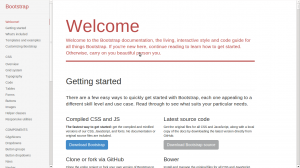
Twitter Bootstrap 3 Docs


Grunt

With RC1 Bootstrap uses Grunt with convenient methods for working with the framework.

  1. Install `grunt-cli` globally with `npm install -g grunt-cli`.
  2. Install the [necessary local dependencies](package.json) via `npm install`
  3. use `grunt` to compile and run tests or `grunt dist` to only compile CSS and Javascript


Compiled CSS and JS

Try twitter Bootstrap 3 without compiling and building it? Download the compiled and minified versions of the CSS, JavaScript, and fonts here. No documentation or original source files are included. Updated to RC1


Bootply

Bootply is a playground for Twitter Bootstrap. Use Bootply to design, prototype, extend, or test the Bootstrap framework. Bootply also offers you the opportunity to test your code with Twitter Bootstrap 3.0.0 RC now.


CDN

The folks over at NetDNA have graciously provided CDN support for Bootstrap’s CSS and JavaScript. To use, swap your local instances for the Bootstrap CDN links listed below.


<!-- Latest compiled and minified CSS -->
<link href="//netdna.bootstrapcdn.com/bootstrap/3.0.0-rc1/css/bootstrap.min.css" rel="stylesheet" />

<!-- Latest compiled and minified JavaScript -->
<script type="text/javascript" src="//netdna.bootstrapcdn.com/bootstrap/3.0.0-rc1/js/bootstrap.min.js"></script>

Twitter Bootstrap Templates

twitter bootstrapTwitter Bootstrap is a front-end toolkit for rapidly developing web applications and websites. It is a collection of CSS and HTML conventions. Twitter Bootstrap is built on LESS. LESS extends CSS with dynamic behavior such as variables, mixins, operations and functions. At the moment i build most website and webapplications with Twitter Bootstrap. Examples Streetart.nl, PKDigitaal, Gizzing and JongerenChat (under construction) and many others.
Most of these websites are build with OpensourceCMS.eu which has been rebuild with Twitter Bootstrap.
Jamedo websites also offers responsive webdesign based on Twitter Bootstrap. Jamedo websites uses the excellent framework of Skematik for WordPress in most cases. Skematik is a GPL WordPress theme + framework designed with Twitter Bootstrap to be the best thing for WordPress ever. With Skematik Jamedo Website build sites like Bougemagic.
The examples above show you can build fantastic responsive websites with Twitter Bootstrap. Of course you will prevent you website looks Bootstrap-y. Many bootstrap website have horizontal menu / navigation. Horizontal elements are easier to implement in a responsive design. But remember you are no restrict to. To create responsive vertical menus you could use for instance Superfish. Superfish is an enhanced Suckerfish-style menu jQuery plugin that takes an existing pure CSS drop-down menu (so it degrades gracefully without JavaScript).
I create Twitter Bootstrap templates you can download for free from github. You can use them to see the technics used to build them. To use them in a production environment you will need a designer definitely.
The first example template is a One Page Sale design. The page has a responsive slider (example page without slider is include too). You can add your product or service, special offers, usp and testimonials. An order page is include too.
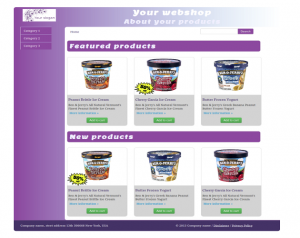
The second template set shows you a web shop with vertical menu. Included are homepage, product page, categories and search page.

The Free Twitter Bootstrap Webshop Template set is available for Twitter Bootstrap 3 now. Also read: Migrate your templates from Twitter Bootstrap 2.x to Twitter Bootstrap 3

twitter bootstrap web shop template

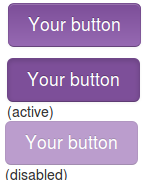
Twitter bootstrap buttons

example buttons
Twitter Bootstrap is a front-end toolkit for rapidly developing web applications and websites. It is a collection of CSS and HTML conventions. Bootstrap works with LESS. If you want to use Twitter Bootstrap for your application or website LESS makes it’s possible to tailor made it to fit to your needs. When your are not familiar with LESS you could use tools like Boottheme.com.
Beside all this most people will use Twitter Bootstrap’s default configuration. To do this you can download Twitter Bootstrap from their site or include in from a CDN like BootstrapCDN. On the example page you will find many examples how to use it. You will wrote your own html and CSS(3) to implement your designs. When using buttons Bootstrap offers only 7 colors by default. Write your own css for buttons in the colors you need can be complex. Twitter Bootstrap Button Generator (Plugo labs) and link2 are nice tools to create Twitter Bootstrap Button in different colors. Both tools don’t have the opportunity to input a exact color. So i wrote a new tool which gives you three variations of buttons (dark, light and spin) based on a hexadecimal html color code. Try Twitter Bootstrap Button Generator and generate buttons for Twitter Bootstrap on the fly.

Twitter Bootstrap 3.0 is coming soon

I tested the css code of the Twitter Bootstrap Button Generator on Bootply, see: http://bootply.com/61812. This shows the buttons in the right colors. Hovers don’t work. I will release a version of the generator for Twitter Bootstrap 3 soon.To generate buttons for Twitter’s Bootstrap 3, use this generator.

Bootstrap your (designer’s) mind

bootstrap your mindMost websites are built responsive nowadays. I use Twitter Bootstrap to build responsive websites. Twitter Bootstrap is a front-end toolkit for rapidly developing web applications and websites. It is a collection of CSS and HTML conventions. Twitter Bootstrap is built on LESS. LESS extends CSS with dynamic behavior such as variables, mixins, operations and functions.
The default Bootstrap grid system utilizes 12 columns, making for a 940px wide container without responsive features enabled. When using Bootstrap to build a responsive website you have breakpoints at 480px, 768px, 980px and 1200px.
The first step of a new website is mostly the design of the web designer. We are used to get some psd files. The design is present as desktop view (optimized around a with of around 940 to 960 pixels width) mostly.
When building responsive the first thing to realize is, what happens to the details of the design on a mobile small screen? Some details will disappear cause the don’t fit or are need at all. This can ruin the idea of the designer.
Your designer maybe create an images slider, often seen in WordPress designs today, which looks good on the 960 desktop view. Of course we can create sliders responsive too. Should a mobile visitor appreciate a slider on your website? The slider will cause longer load time and extra scrolling down on a mobile phone. Maybe on bigger screens, 1200+ pixels width, such a slider will give a problem too. A big slider doesn’t look the same and beside that you will need high resolution images. Keep the slider smaller on width screen will cause lots of whitespace which is not consist with the web designers initial ideas.

What should we ask our web designer to get better results?

  1. First to respect the grid system, in our case twitter Bootstrap’s. Details outside the grid like borders and background are lost on smaller screens and are difficult to implement.
  2. Deliver results following the breakpoints. I think the web designer should keep a ‘mobile first’ approach in mind too. Your designer should give you a psd for the mobile phone view max width 320 and no grid), a psd for , etc. The end result should be designs for page in respect to the breakpoints you defined. Also pay attention to navigation and preferred order of display. On smaller screens your navigation will collapsed maybe.
  3. In the case of Twitter Bootstrap the designers should use the Bootstrap’s aspects you won’t change. By default Twitter bootstrap has buttons, forms, etc.

Some examples:

Use default elements

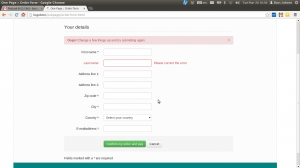
Build your forms with Twitter Bootstrap default like form elements, warnings and buttons.
default bootstrap elements

free psd

On Freepsdfiles.net you can download free psd design. When you look at this example you will see some aspects which not easy fit the bootstrap strategy. First the overlaying phone images. Yes, you could do this in bootstrap too. Using z-indexes and absolute positions. See: example. You will have to adopt all absolute positions for every break point. z-indexes won’t be useful on the small screens without grid. People won’t see the overlaying design effect. And you could wonder if you mobile phone images have any additional value for you mobile visitors at all. Secondly the design had some border effects which don’t fit the grid.

border outside the grid

I will wrote about borders and Bootstrap rows in a next post. Of course borders outside the grid can be visible on big screens you still lose them on smaller screens. More horizon design details can be an alternative maybe.

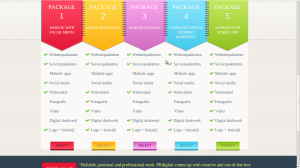
5 columns wide element

One designer offers my the 5 columns wide element shown below.
5 columns wide design element
This looks nice in the 960 grid view. What to do on bigger screens? Resize all things will give you big screaming fonts. On the other hand don’t resize will give you a lot of white space. One solution can be the center the columns. Also on smaller screen you can’t use the columns. Putting the columns under each other will give you a long scrolling list with a bad user experience. So you will have to find an other solution for small screens too.